How to use 「Rotation」 to schedule shifts quickly?
-
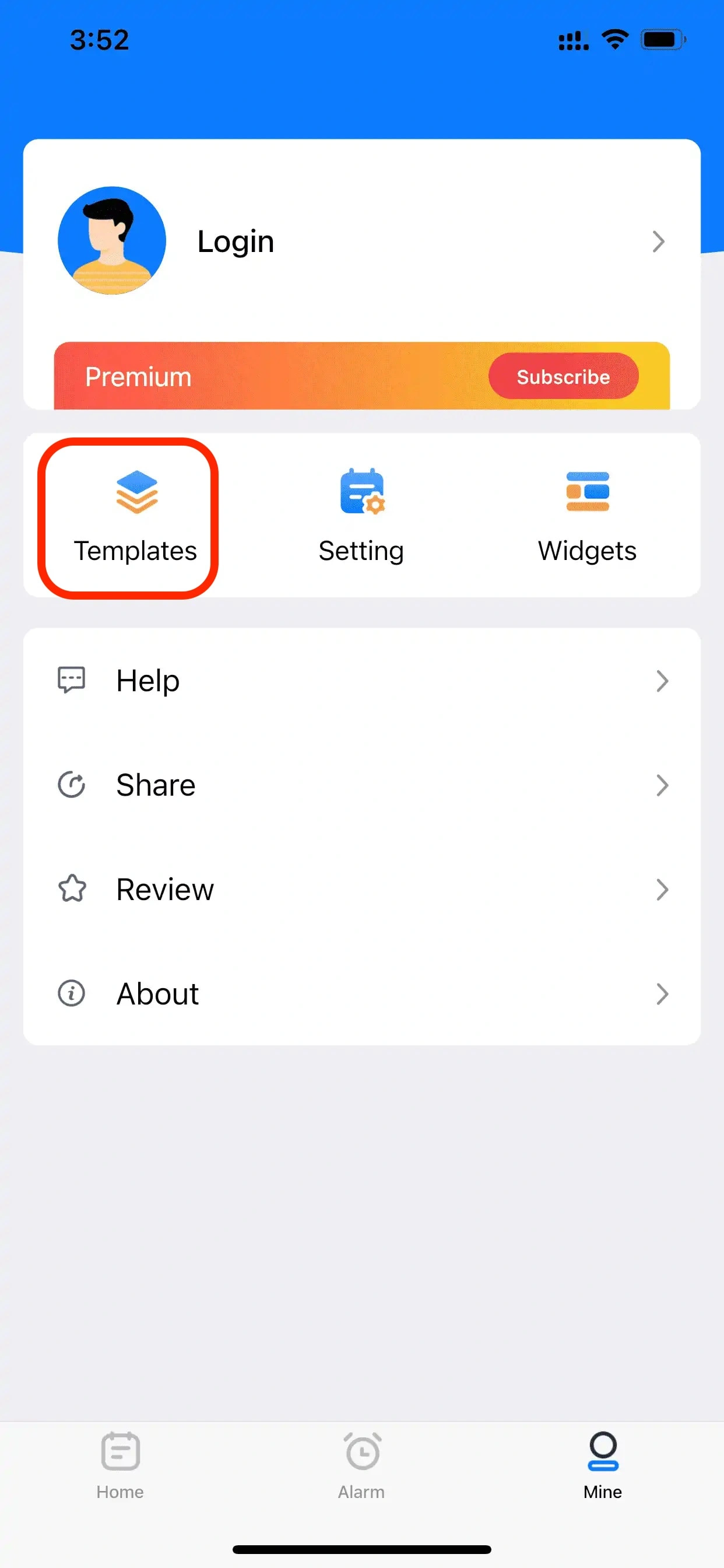
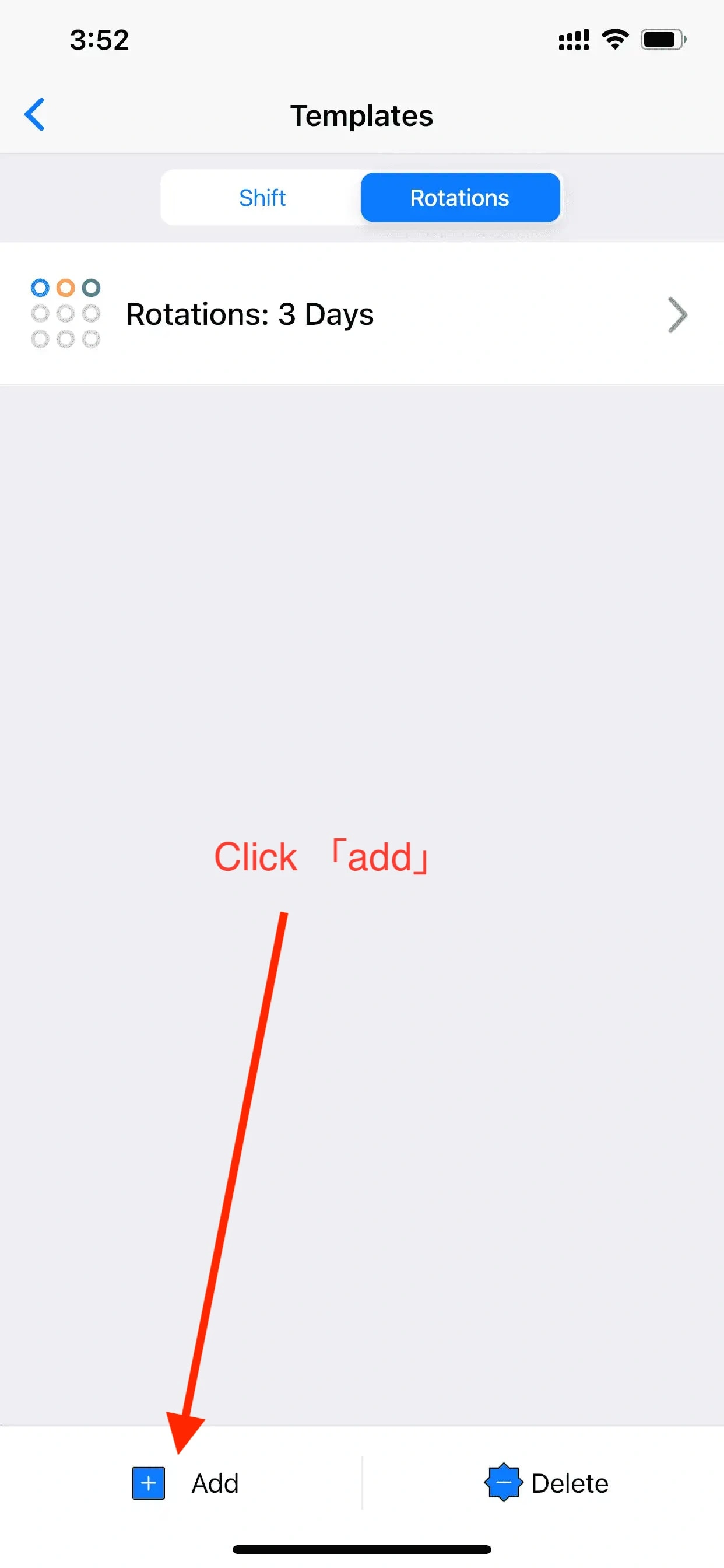
Click the [Mine]-[Templates], select [Rotations], and click the “+” sign in the lower left corner;
-
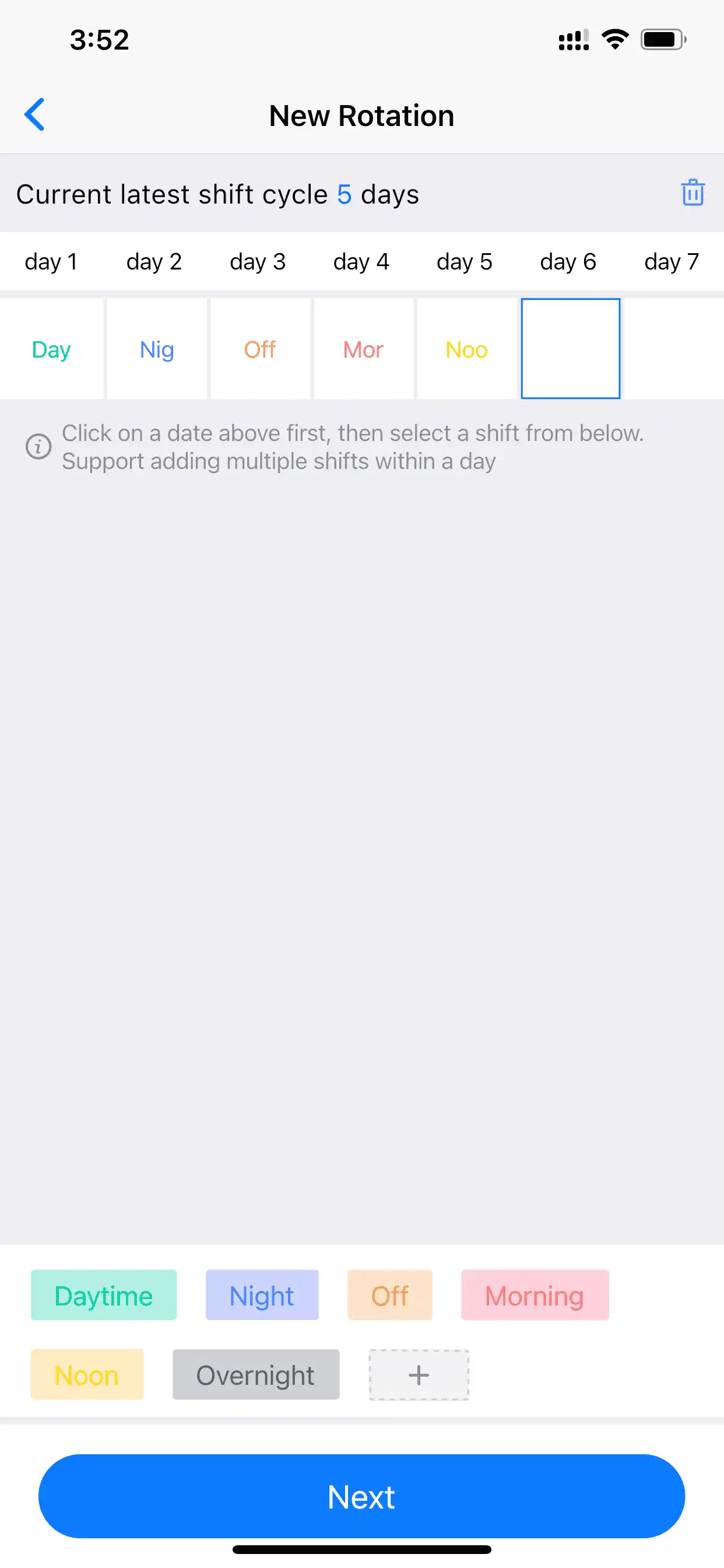
Select Day1, select the required shift from the bottom, and then select Day2, and complete the shift arrangement in a cycle in sequence (as if there are multiple shifts in a day, you can click the date again to fill in the shift);
-
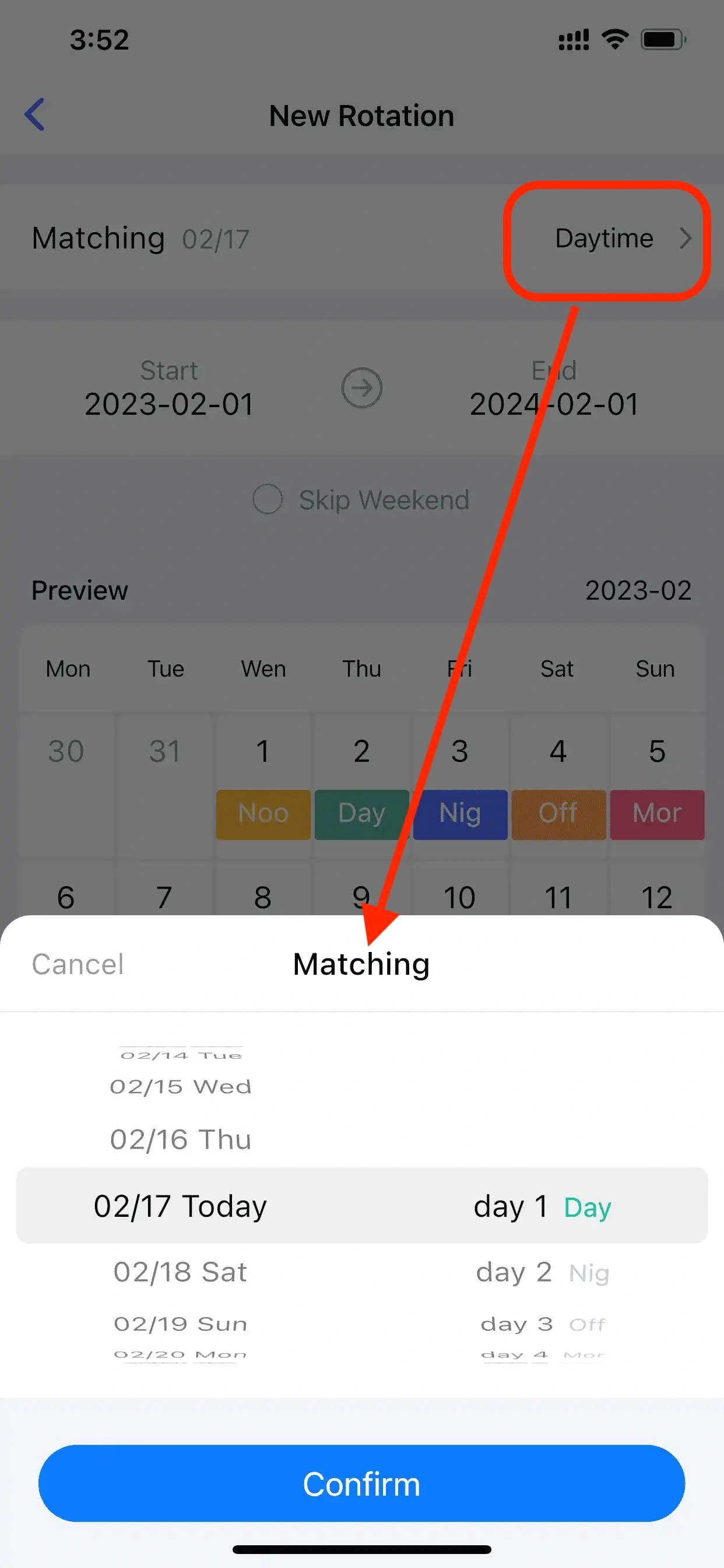
Select today’s shift. Note that other dates can be selected here. (Slide the date left and right to change the current date);
-
Other settings. According to your needs, you can set the start/end date (the cycle can be set up to 3 years). whether to skip weekends;
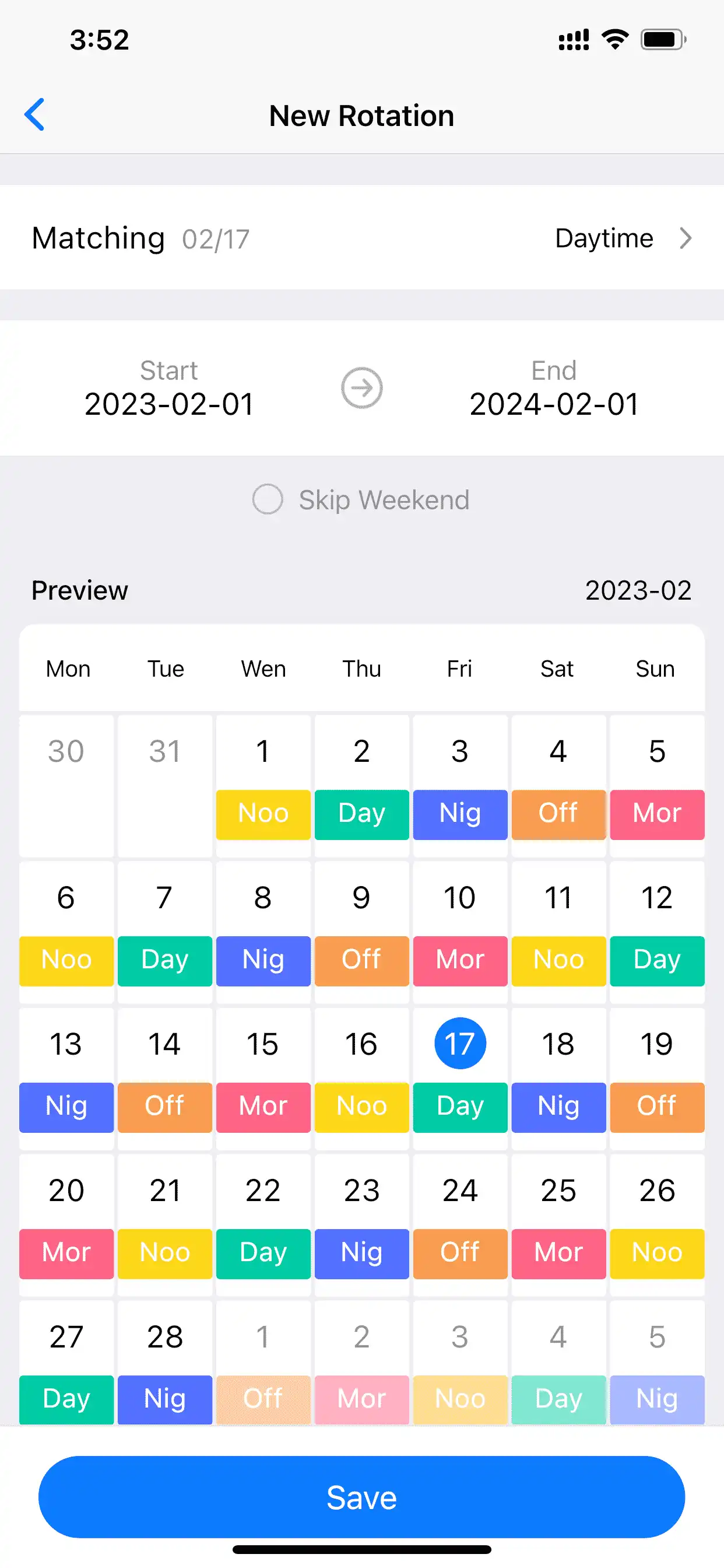
-
After completing the settings, click the [Save] button.